AI is already at our doorstep, signaling that it’s time for everyone to learn how to use it more effectively and responsibly.
In exploring how to utilize ChatGPT, I found no ready-made solutions for helping with software QA processes. However, it can still significantly ease your workload, so I’ve documented some of the ways I’ve started using it in my daily work, hoping it will help you do the same.
Creation of Test Data
This application of ChatGPT has proved to be very useful for me. You can request that it generate:
- JSON files with specified parameters,
- .csv or .xls files containing designated columns and mock data,
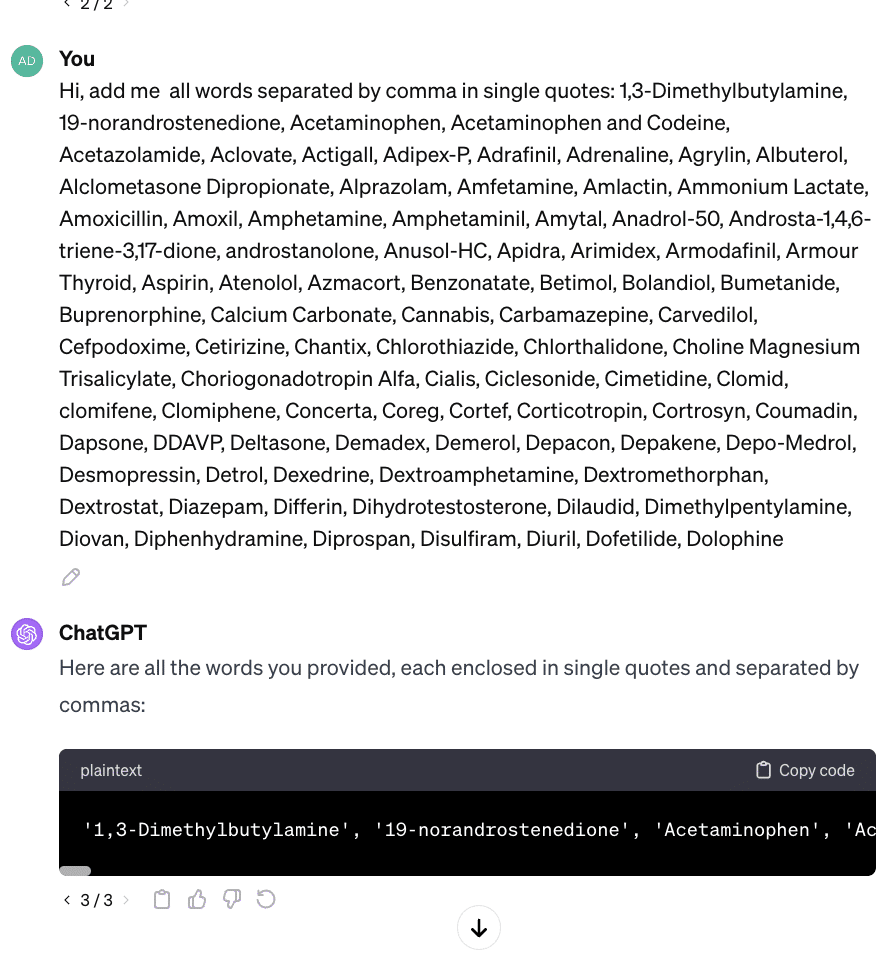
- Edits to data arrays,
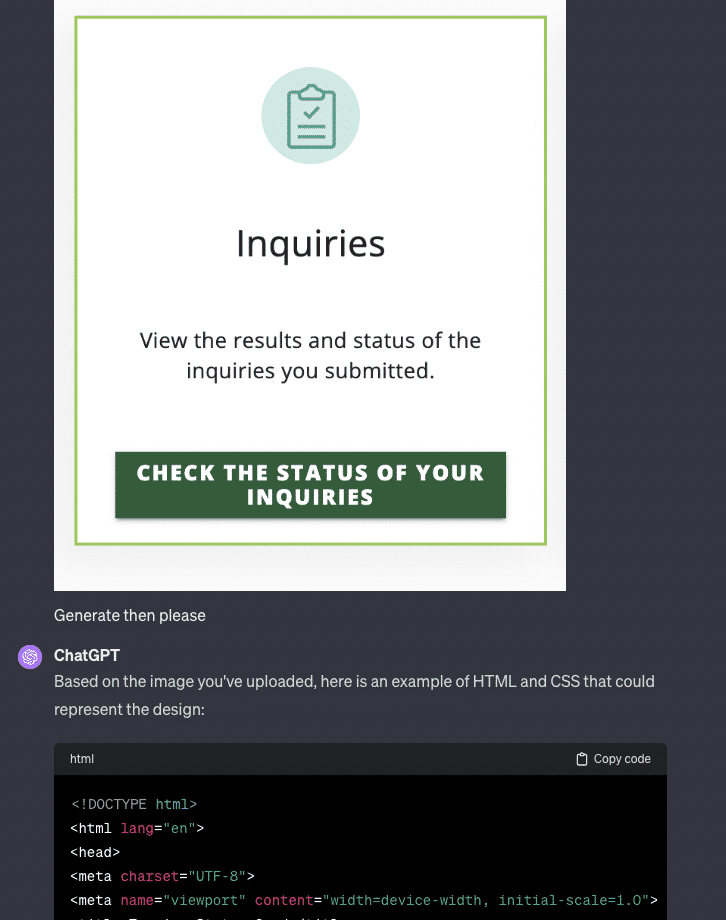
- HTML/CSS code from an uploaded image (it doesn’t create an exact replica, but the result is quite similar).
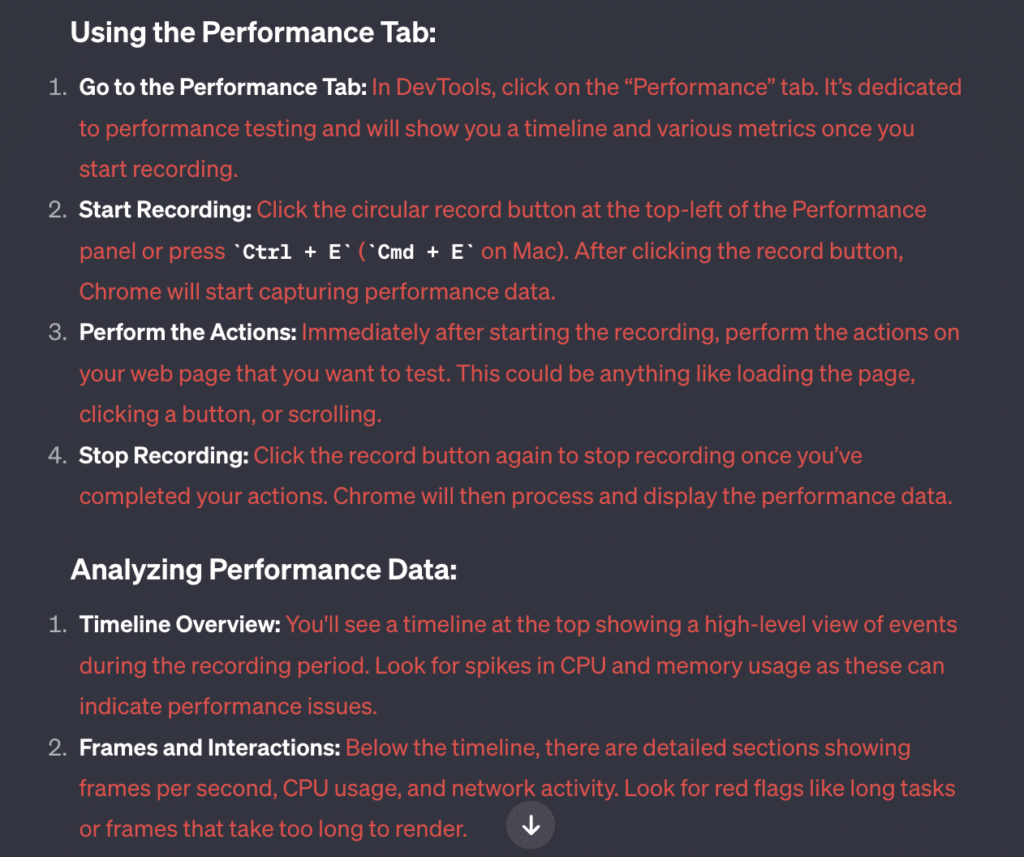
Creation of Performance or Security Checklists
ChatGPT can be very helpful in custom areas like performance or security checks:
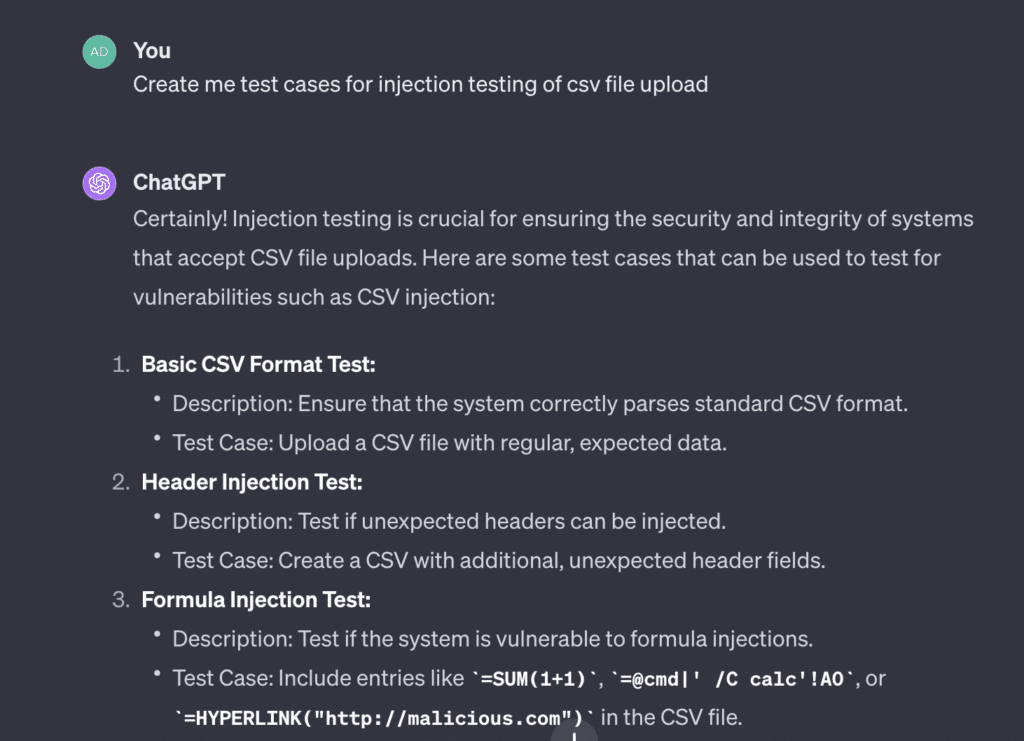
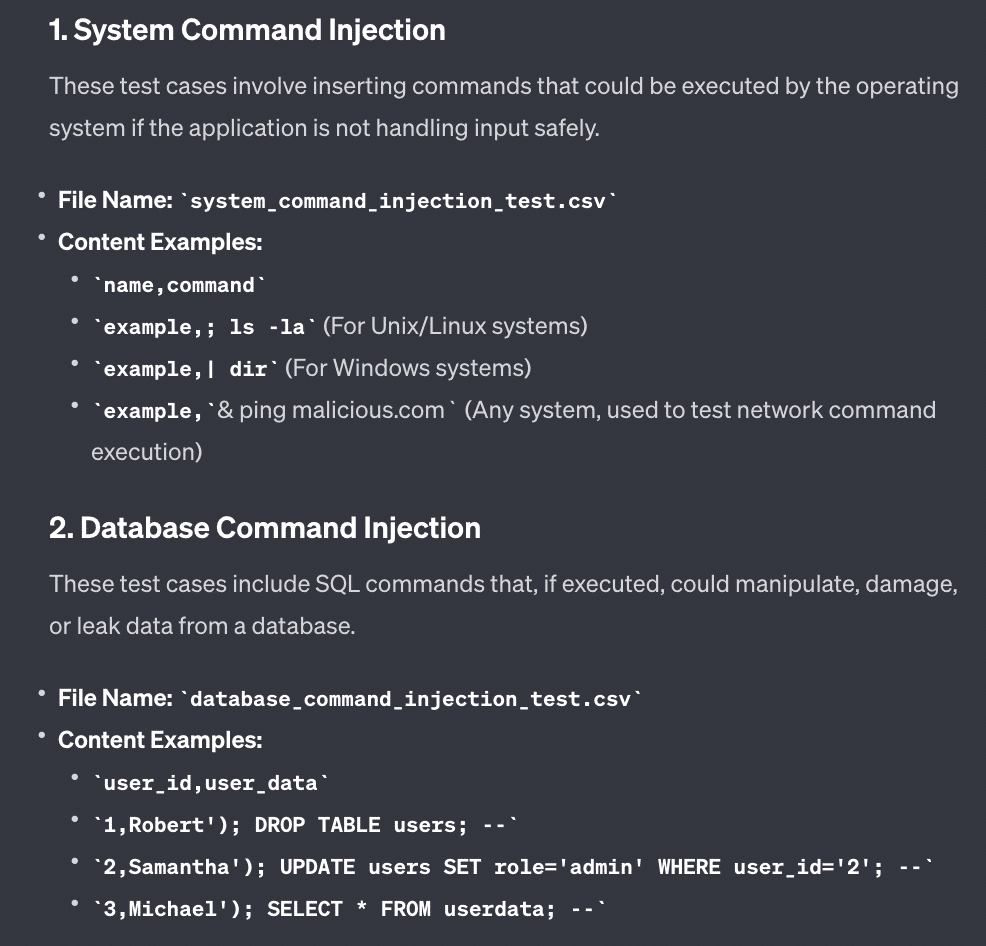
Also, you can ask for a more detailed explanation or even examples. For example, you might ask for sample SQL or JS injections to test. Here is ChatGPT’s answer to my clarifying question to the previous answer: “Test Case: Include system commands or database commands in the CSV data. – Give me examples”
Comparing Tools
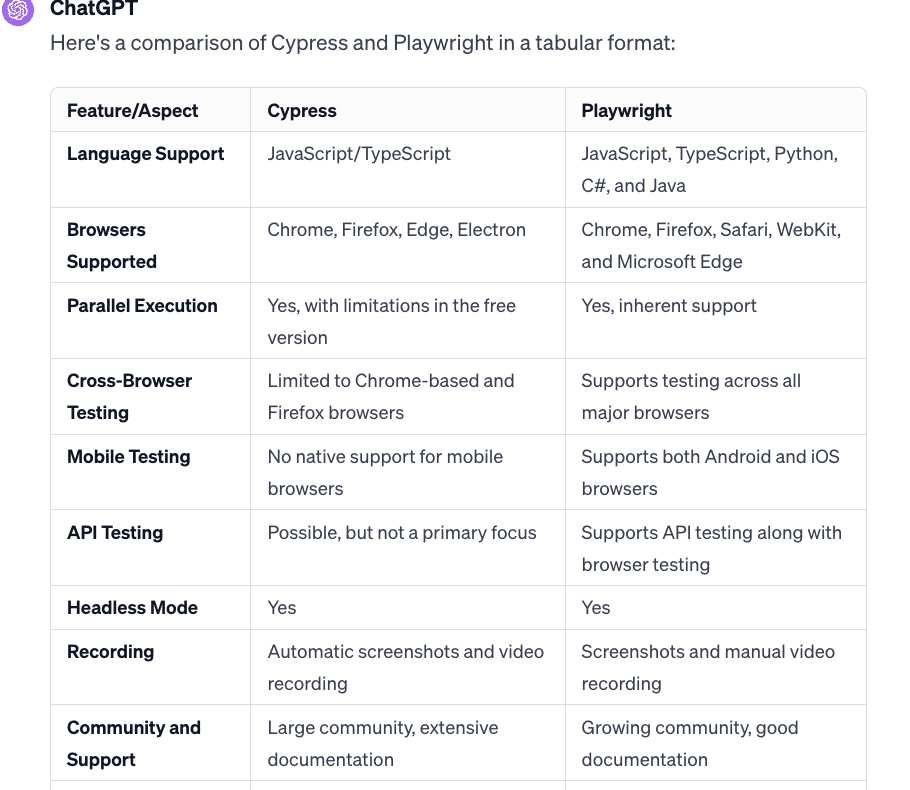
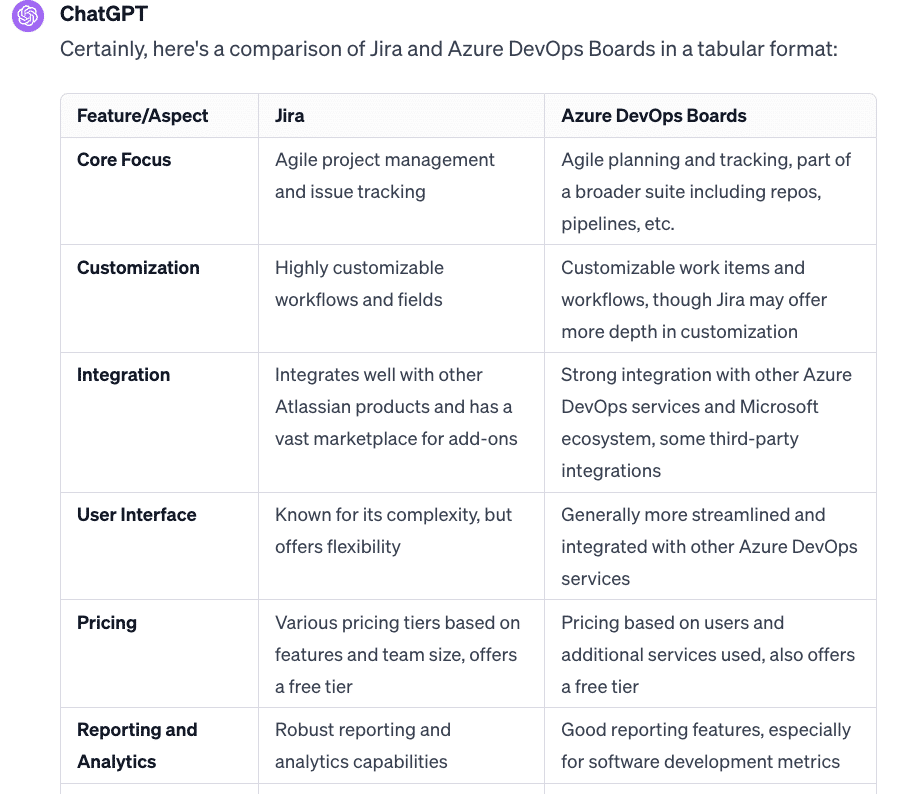
ChatGPT is very useful for searching for the best tools for your purposes. By asking it to compare them in tabular form, it will give you a structured answer, like the one below:
Creation of Test Documentation
ChatGPT is good in the creation of samples, but you still need to provide it with very detailed info. For example, imagine you want an already-customized test plan or test strategy. I have found that it does not save me any time with this type of task.
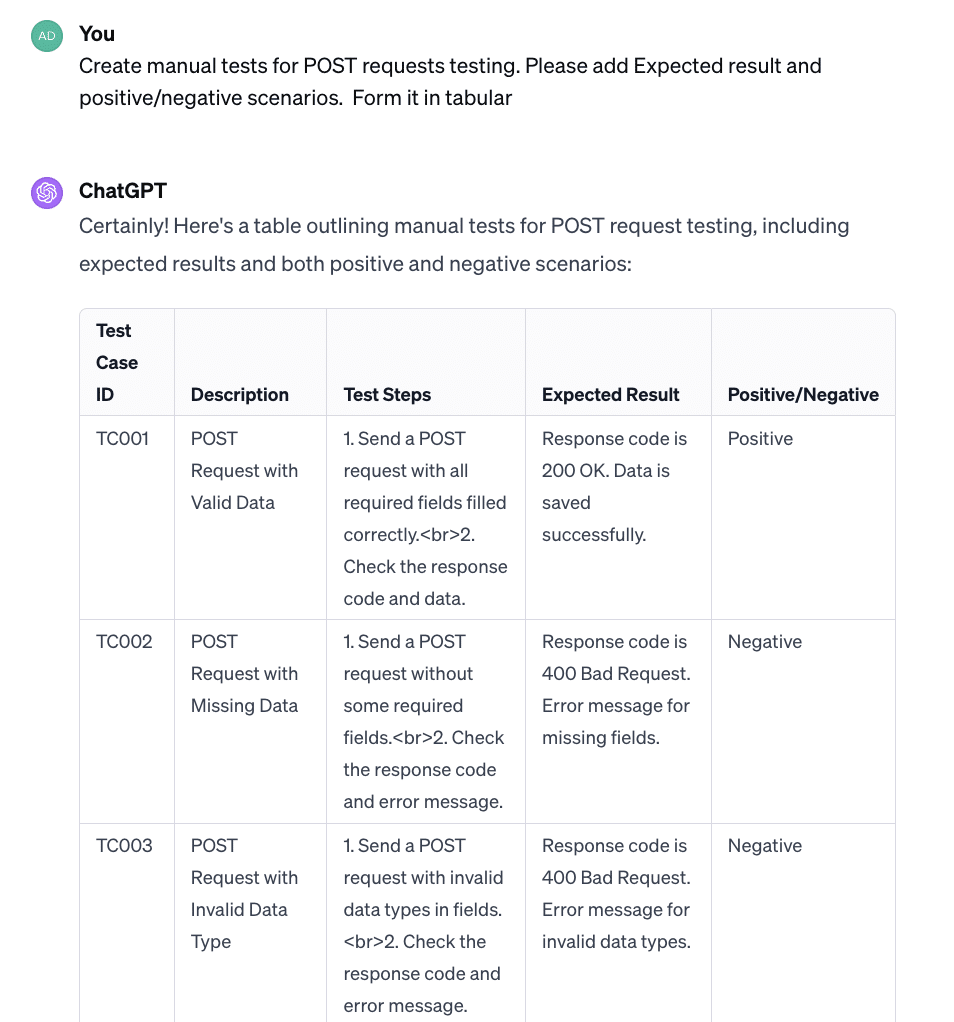
However, it is pretty useful for the creation of general tests in the test case format, like for Login, Sign-up, API testing, etc. You can also paste in some product requirements and it will organize them in test cases for you.
Creation of Database Queries
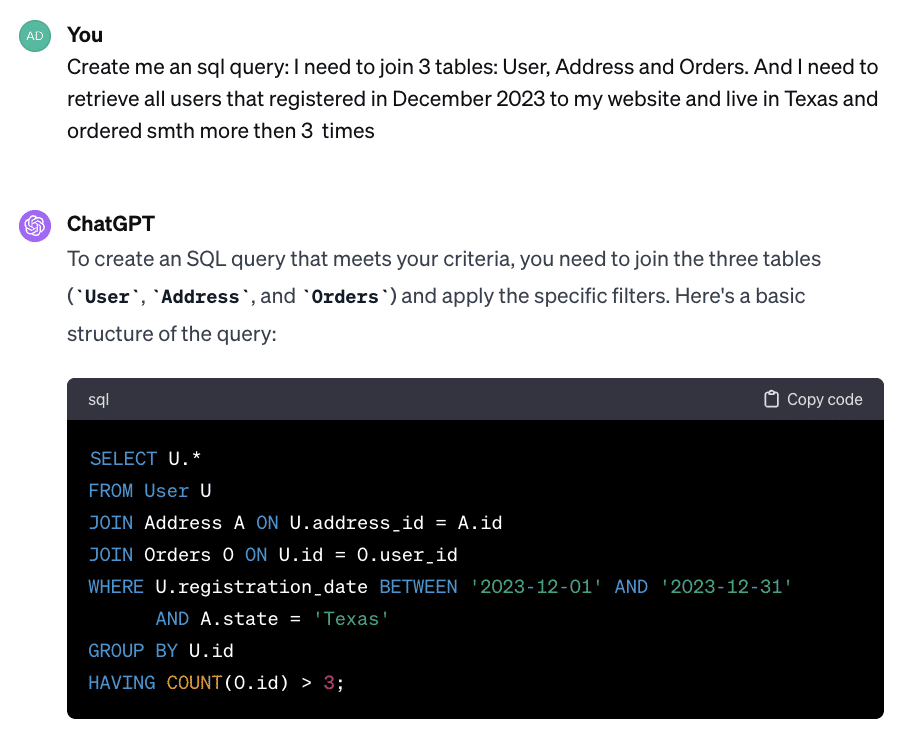
Another way I found ChatGPT useful is the creation of SQL and NOSQL queries. If you’re not a SQL guru, it can help you with even very tricky data to retrieve.
XLS: A Fly in the Ointment
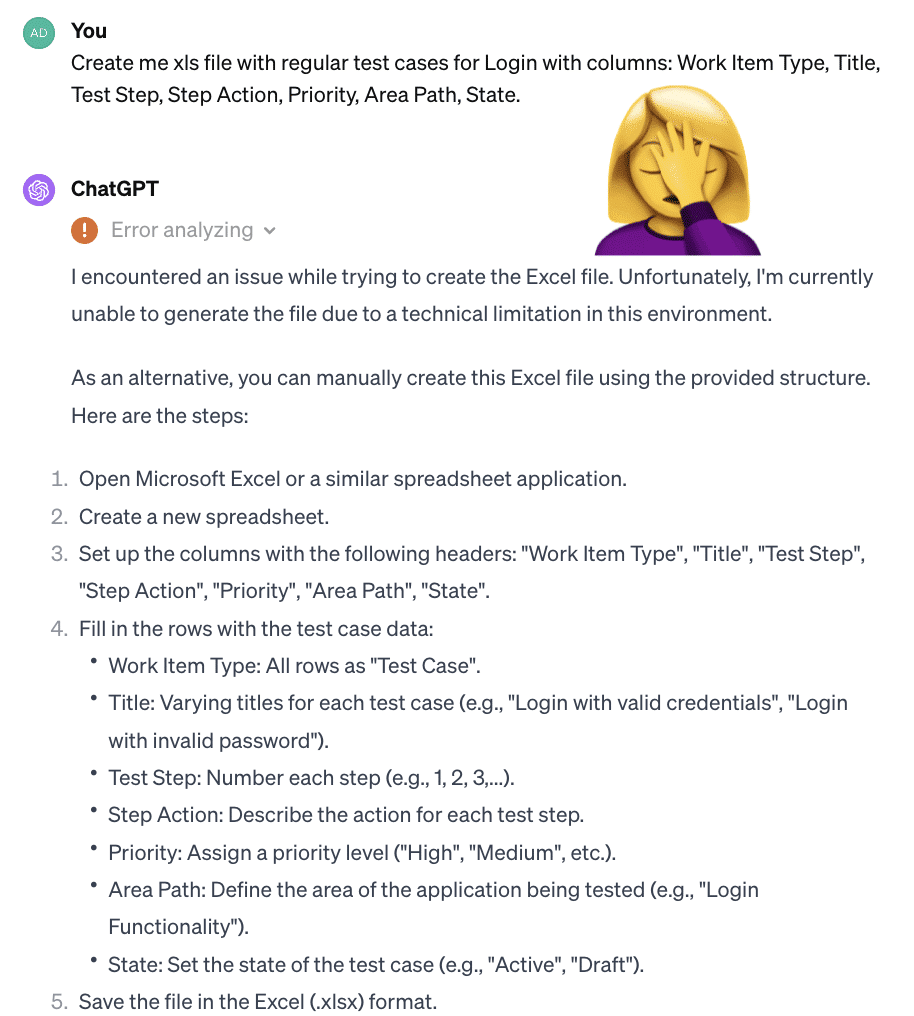
Unfortunately, ChatGPT is not effective in generating XLS and CSV files, such as test cases for subsequent import into tools like Jira or Azure DevOps. Typically, it encounters network errors when attempting to create documents of any size. While it’s possible to integrate ChatGPT with Azure DevOps, this requires additional development effort as there are no ready-made solutions available yet.
Conclusion
As you can see, ChatGPT presents promising avenues for streamlining various aspects of software testing, but its capabilities are not without limitations. By understanding its strengths and weaknesses, you can learn to leverage it more effectively in your daily QA workflows, pushing forward both innovation and efficiency in software testing processes.